


TL;DR: The easiest way to generate a QR code in Python is with the qrcode package. Install qrcode[pil], create a QRCode object, add your URL, and save the image. For beautiful QR codes, use high error correction, strong contrast, safe logo sizing, and test the final QR code on multiple phones before using it publicly.
QR codes are boring only when we treat them like boring black-and-white boxes.
With Python, you can generate QR codes with custom colors, rounded modules, logos, gradients, SVG output, WiFi details, vCards, and batch automation.
But there is one rule I do not ignore:
A beautiful QR code is useless if it does not scan.

In this guide, I will show the practical way to generate beautiful QR codes in Python using qrcode and Segno, without making the design so fancy that scanners fail.
Quick note: the qrcode PyPI page lists Python 3.9+ support and recommends
qrcode[pil]when you want Pillow-based image output. Segno is still a strong option when you need SVG, PDF, Micro QR, or dependency-light QR generation.
Why generate QR codes with Python?
Short answer: Python gives you control, repeatability, and automation.
Online QR code tools are fine when you need one QR code. But the moment you need 50 product QR codes, 300 event ticket QR codes, or QR codes inside a web app, manual tools become painful.
Python is better when you need:
- Batch generation – create hundreds of QR codes from a CSV file or database.
- Design control – choose colors, size, borders, logos, and output format.
- Privacy – generate QR codes locally without sending data to a third-party website.
- Automation – generate codes from a script, dashboard, Flask app, Django app, or internal tool.
- Repeatable output – use the same brand colors and layout every time.
That is the real advantage.
You are not just making one QR code. You are building a QR code generation workflow.
Which Python library should you use for QR codes?
Short answer: use qrcode for most PNG/logo/styled QR codes, and use Segno when you care about SVG, PDF, Micro QR, or lightweight generation.
| Library | Best for | My take |
|---|---|---|
qrcode | Simple QR codes, PNG output, Pillow styling, logos, colors, module shapes | Best starting point for most Python users. |
| Segno | SVG, PDF, Micro QR, no-dependency QR generation, helpers like WiFi/vCard | Better when output format matters. |
Pillow | Logo resizing, image manipulation, final image editing | Usually needed when you add logos or export styled images. |
If you are a beginner, start with qrcode. It is easy, well-known, and the API is simple enough to remember.
If you want clean vector files for print, use Segno and export SVG or PDF.

qrcode is the easiest library to start with for normal PNG QR codes.
How do you install the QR code libraries?
Short answer: install qrcode[pil] and Segno in a virtual environment.
I prefer using a virtual environment so the project stays clean.
python -m venv .venv
source .venv/bin/activate  # macOS / Linux

pip install "qrcode[pil]" segno pillow
On Windows PowerShell, activation usually looks like this:
python -m venv .venv
.\.venv\Scripts\Activate.ps1

pip install "qrcode[pil]" segno pillow
The quotes around qrcode[pil] are intentional. They avoid shell issues in some terminals.
If you only need Segno’s basic QR code generation, it is a pure Python library with no required runtime dependencies, according to the Segno PyPI page.
How do you generate a basic QR code in Python?
Short answer: use qrcode.make() when you just need a quick QR code.
import qrcode

img = qrcode.make("https://sunnysah.com")
img.save("basic_qr_code.png")
This creates a normal QR code and saves it as a PNG file.
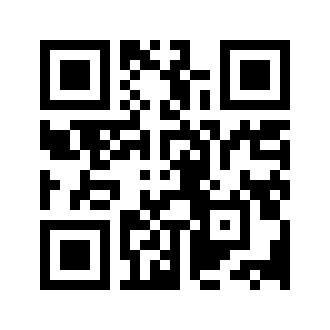
This is good for testing, but for real projects I usually create a QRCode object manually. That gives better control over error correction, size, border, and output.
import qrcode

qr = qrcode.QRCode(
    version=None,
    error_correction=qrcode.constants.ERROR_CORRECT_M,
    box_size=10,
    border=4,
)

qr.add_data("https://sunnysah.com")
qr.make(fit=True)

img = qr.make_image(fill_color="black", back_color="white")
img.save("controlled_qr_code.png")
I keep version=None or leave it unset for most normal cases because fit=True lets the library choose the required QR size.
How do you create a colored QR code in Python?
Short answer: use fill_color and back_color, but keep the contrast strong.
import qrcode

qr = qrcode.QRCode(
    error_correction=qrcode.constants.ERROR_CORRECT_H,
    box_size=10,
    border=4,
)

qr.add_data("https://sunnysah.com")
qr.make(fit=True)

img = qr.make_image(
    fill_color="#123c69",
    back_color="#ffffff",
)

img.save("blue_qr_code.png")
My rule is simple: dark pattern, light background.
Do not use pale grey on white, yellow on white, or two colours that look stylish but have poor contrast. Many phone cameras will struggle, especially in low light.
If this QR code is going into print, test it after printing. A QR code that scans on your laptop screen can fail when printed on glossy paper, a sticker, or a tiny business card.
What error correction level should you use?
Short answer: use ERROR_CORRECT_H for styled QR codes and logos.
| qrcode constant | Approx recovery | Use case |
|---|---|---|
ERROR_CORRECT_L | About 7% | Clean, basic QR codes with no styling |
ERROR_CORRECT_M | About 15% | Normal black-and-white QR codes |
ERROR_CORRECT_Q | About 25% | Light styling and moderate design changes |
ERROR_CORRECT_H | About 30% | Logos, rounded modules, gradients, and stronger styling |
Error correction gives the QR code some tolerance when part of the pattern is covered, damaged, or visually modified.
But do not abuse it.
A high error correction level does not mean you can cover half the QR code with a logo. It only gives you more margin for small design changes.
How do you add a logo to a QR code in Python?
Short answer: generate the QR code with high error correction, resize your logo, and paste it in the centre.
This is where Pillow helps.
import qrcode
from PIL import Image

qr = qrcode.QRCode(
    error_correction=qrcode.constants.ERROR_CORRECT_H,
    box_size=12,
    border=4,
)

qr.add_data("https://sunnysah.com")
qr.make(fit=True)

img = qr.make_image(fill_color="black", back_color="white").convert("RGB")

logo = Image.open("logo.png").convert("RGBA")

qr_width, qr_height = img.size
logo_size = qr_width // 5  # 20% of QR width

logo = logo.resize((logo_size, logo_size), Image.Resampling.LANCZOS)

logo_position = (
    (qr_width - logo_size) // 2,
    (qr_height - logo_size) // 2,
)

img.paste(logo, logo_position, logo)
img.save("qr_code_with_logo.png")
I prefer keeping the logo around 15-20% of the QR width. Some examples online use bigger logos, but they are more likely to fail on older phones, printed material, or poor lighting.
If your logo has a transparent background, the third argument in img.paste() helps preserve the alpha mask.
The Image.Resampling.LANCZOS value is the modern Pillow resize filter I use for cleaner logo resizing.
Can qrcode embed a logo directly?
Short answer: yes, with StyledPilImage and embedded_image_path.
The qrcode project documents StyledPilImage as the styling route for shapes, color masks, and embedded images. This is cleaner than manually pasting a logo if you want the library to handle the embedded image step.
import qrcode
from qrcode.image.styledpil import StyledPilImage

qr = qrcode.QRCode(error_correction=qrcode.constants.ERROR_CORRECT_H)
qr.add_data("https://sunnysah.com")
qr.make(fit=True)

img = qr.make_image(
    image_factory=StyledPilImage,
    embedded_image_path="logo.png",
)

img.save("qr_with_embedded_logo.png")
I still like the manual Pillow method when I need exact control over logo size and placement. But for many quick projects, embedded_image_path is enough.
How do you create rounded or dotted QR codes?
Short answer: use StyledPilImage with a module drawer.
Module drawers change the small blocks inside the QR code. You can use rounded squares, circles, gaps, and other shapes.
import qrcode
from qrcode.image.styledpil import StyledPilImage
from qrcode.image.styles.moduledrawers.pil import RoundedModuleDrawer

qr = qrcode.QRCode(
    error_correction=qrcode.constants.ERROR_CORRECT_H,
    box_size=10,
    border=4,
)

qr.add_data("https://sunnysah.com")
qr.make(fit=True)

img = qr.make_image(
    image_factory=StyledPilImage,
    module_drawer=RoundedModuleDrawer(),
    fill_color="#111827",
    back_color="#ffffff",
)

img.save("rounded_qr_code.png")
Other module drawers you can try include:
SquareModuleDrawer()GappedSquareModuleDrawer()CircleModuleDrawer()VerticalBarsDrawer()HorizontalBarsDrawer()
If a style looks too broken or too decorative, do not use it for production. Simple rounded squares usually scan better than extreme designs.
How do you create a gradient QR code in Python?
Short answer: use a color mask with StyledPilImage.
One funny detail: the qrcode package uses the spelling Gradiant in class names, not Gradient. So copy the import exactly.
import qrcode
from qrcode.image.styledpil import StyledPilImage
from qrcode.image.styles.moduledrawers.pil import RoundedModuleDrawer
from qrcode.image.styles.colormasks import RadialGradiantColorMask

qr = qrcode.QRCode(
    error_correction=qrcode.constants.ERROR_CORRECT_H,
    box_size=10,
    border=4,
)

qr.add_data("https://sunnysah.com")
qr.make(fit=True)

img = qr.make_image(
    image_factory=StyledPilImage,
    module_drawer=RoundedModuleDrawer(),
    color_mask=RadialGradiantColorMask(
        back_color=(255, 255, 255),
        center_color=(17, 24, 39),
        edge_color=(37, 99, 235),
    ),
)

img.save("gradient_qr_code.png")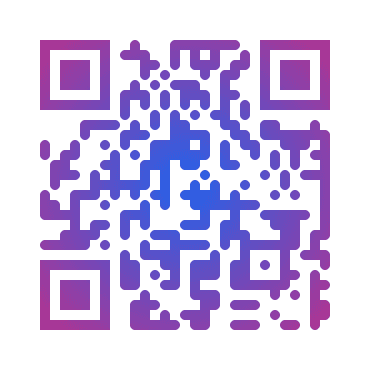
Common color masks include:
SolidFillColorMaskRadialGradiantColorMaskSquareGradiantColorMaskHorizontalGradiantColorMaskVerticalGradiantColorMask
Do not use a gradient where the edge becomes too light. That is one of the fastest ways to make a QR code look nice and scan badly.
How do you generate SVG or PDF QR codes with Segno?
Short answer: use Segno when you need clean export formats.
Segno can serialize QR codes to multiple formats, including SVG, PNG, EPS, and PDF. That is why I like it for print or design workflows.
import segno

qr = segno.make_qr("https://sunnysah.com", error="h")

qr.save("qr_code.png", scale=10)
qr.save("qr_code.svg", scale=10)
qr.save("qr_code.pdf", scale=10)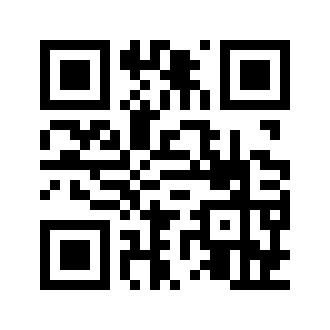
Notice I used make_qr(), not just make(). Segno’s make() can produce a Micro QR code when the data is small enough. That is useful sometimes, but if you always want a normal QR code, make_qr() is clearer.
You can also style the output:
import segno

qr = segno.make_qr("https://sunnysah.com", error="h")

qr.save(
    "segno_styled_qr.png",
    scale=12,
    border=4,
    dark="#123c69",
    light="#ffffff",
)
For logos and heavy image compositing, I still prefer qrcode plus Pillow. For vector output, Segno feels cleaner.
How do you create WiFi QR codes in Python?
Short answer: use Segno’s helper functions.
A WiFi QR code lets people join a network without typing the password manually.
from segno import helpers

qr = helpers.make_wifi(
    ssid="YourNetworkName",
    password="YourPassword",
    security="WPA",
)

qr.save("wifi_qr_code.png", scale=10)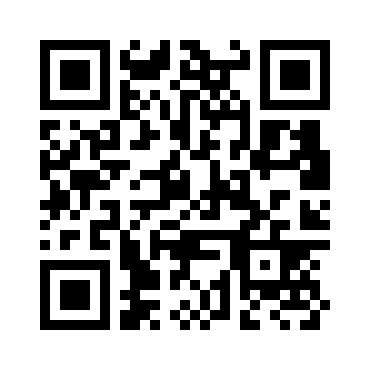
Do not publish a WiFi QR code publicly unless the network is meant for public access. For offices and private homes, treat it like a password.
How do you create a vCard QR code in Python?
Short answer: Segno helpers can generate contact QR codes too.
A vCard QR code can save a person’s name, email, phone, website, and organisation into the scanner’s contacts app.
from segno import helpers

qr = helpers.make_vcard(
    name="Sah;Sunny",
    displayname="Sunny Sah",
    email="hey@sunnysah.com",
    url="https://sunnysah.com",
    phone="+91XXXXXXXXXX",
    org="SunnySah.com",
)

qr.save("contact_qr_code.png", scale=10)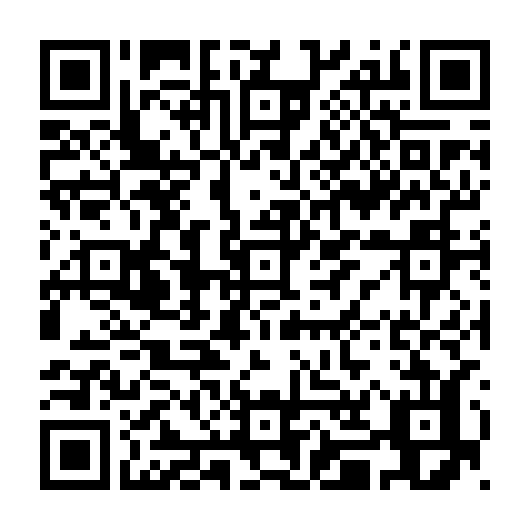
One thing to remember: contact formats can behave slightly differently across phone apps. Test with iPhone and Android before printing a thousand cards.
How do you generate QR codes in bulk from a CSV file?
Short answer: read rows from a CSV and generate one QR image per row.
Here is a simple CSV file:
name,url
home,https://sunnysah.com
blog,https://sunnysah.com/posts
contact,https://sunnysah.com/contact
Save it as links.csv, then run this script:
import csv
from pathlib import Path
import qrcode

output_dir = Path("qr_codes")
output_dir.mkdir(exist_ok=True)

with open("links.csv", newline="", encoding="utf-8") as file:
    reader = csv.DictReader(file)

    for row in reader:
        name = row["name"].strip().replace(" ", "_")
        url = row["url"].strip()

        qr = qrcode.QRCode(
            error_correction=qrcode.constants.ERROR_CORRECT_H,
            box_size=10,
            border=4,
        )
        qr.add_data(url)
        qr.make(fit=True)

        img = qr.make_image(fill_color="#111827", back_color="white")
        img.save(output_dir / f"{name}.png")

        print(f"Created QR code for {name}")
I used the standard csv module here so you do not need pandas for a small job. If your data already lives in a spreadsheet-heavy workflow, pandas is fine too.
If you need to check many generated QR destination URLs later, my bulk link opener can help you open those URLs in batches.
How do you make QR codes look good without breaking scanning?
Short answer: keep contrast high, styling moderate, and logo size small.
- Use high contrast – dark modules on a light background scan best.
- Keep the quiet zone – do not remove the border around the QR code.
- Use
ERROR_CORRECT_Hfor logos – it gives more scan tolerance. - Keep logos around 15-20% – bigger logos are riskier.
- Prefer short URLs – shorter data creates cleaner QR patterns.
- Test printed output – screen scans and printed scans are not always the same.
If you are preparing QR codes for print, size matters too. A tiny QR on a poster viewed from far away will fail even if the code itself is valid.
If you work with pixel dimensions for print, my pixels to inches converter can help you quickly estimate output size.
Common QR code mistakes in Python
Short answer: most failures come from missing dependencies, too much design, or not testing.
1. Installing qrcode without Pillow
If you need image styling, install the Pillow extra:
pip install "qrcode[pil]"2. Making the logo too large
A huge logo may look good in a blog post, but it can destroy scan reliability. Start with 15-20% of the QR width and increase only after testing.
3. Using low contrast colors
Pastel QR codes often fail. If the foreground and background look too close, scanners will struggle.
4. Forgetting to test on real devices
Do not trust only the generated image. Test with iPhone camera, Android camera, and at least one common QR scanner app if the QR code is important.
5. Putting too much data inside the QR code
Long URLs and large payloads create dense QR codes. Use shorter URLs when possible, especially for printed material.
Quick troubleshooting
| Problem | Likely reason | Fix |
|---|---|---|
ModuleNotFoundError: No module named PIL | Pillow is missing | Run pip install "qrcode[pil]" pillow |
| QR code with logo does not scan | Logo too large or error correction too low | Use ERROR_CORRECT_H and reduce logo size |
| Gradient QR code fails | Low contrast | Use darker module colours and white/light background |
| QR code looks too dense | Too much data | Use a shorter URL or increase output size |
| SVG needed instead of PNG | Wrong output workflow | Use Segno and save as .svg |
If you are new to running Python files on Mac, this pairs nicely with my guide on how to create a text file on macOS, especially if you are creating small scripts from scratch.
Quick FAQ
What is the best Python library for QR code generation?
For most users, qrcode is the best starting point because it is simple and works well with Pillow. Use Segno when you need SVG, PDF, Micro QR, or a pure Python QR encoder with many output formats.
Can I add a logo to a QR code in Python?
Yes. Use qrcode with high error correction and Pillow to paste a small logo in the centre. Keep the logo around 15-20% of the QR width and test the result before using it publicly.
Can Python create SVG QR codes?
Yes. Segno is a good choice for SVG QR codes. Create the QR code with segno.make_qr() and save it with a .svg filename. This is useful for print and design workflows.
Why is my styled QR code not scanning?
The common reasons are low contrast, a logo that is too large, missing quiet zone, too much data, or overly aggressive module styling. Reduce the design changes and test again with high error correction.
Should I use PNG or SVG for QR codes?
Use PNG for normal web and app use. Use SVG or PDF when the QR code will be scaled in print or design software. Segno is convenient when you need vector output.
Can I generate many QR codes at once?
Yes. Read the data from a CSV file, loop through each row, and save one QR image per row. This is one of the biggest reasons to use Python instead of an online QR generator.
Summing Up!
Generating beautiful QR codes in Python is not difficult. Start with qrcode[pil], generate a clean QR code, then add styling slowly: custom colours first, logo next, rounded modules or gradients only after that.
My recommendation is simple: use qrcode for most styled PNG QR codes and Segno when you need SVG, PDF, WiFi, vCard, or Micro QR support. Keep contrast high, logo size small, and error correction high when styling.
And please test the final QR code on real phones before printing it or sending it to users. The best QR code is not the fanciest one. It is the one that looks good and scans fast.
Have you built any QR code generator with Python? Tell me what you are using it for in the comments.